JunkLatch: Android tool for inspecting and reclaiming local storage
JunkLatch from Star Travel LLC is a storage management assistant for Android devices that helps users reclaim device space. It performs deep scans of local storage to locate redundant files, classifies application-related and cache data, and surfaces large media and temporary files for review. The app centralizes storage metrics, shows per-app footprints, and uses a specialized latch mechanism to detect deep-seated data that standard cleaners miss. Android users needing a fast storage audit get clear guidance on reclaiming internal space safely.
What level of storage analysis does JunkLatch provide?
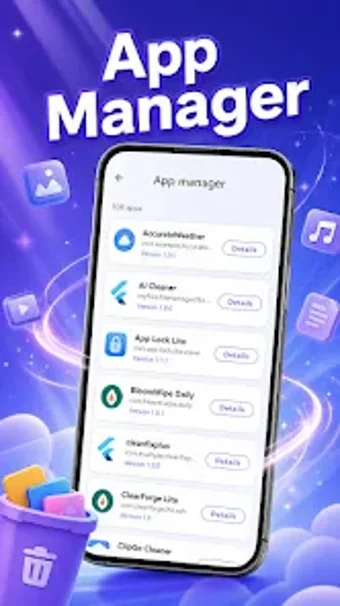
JunkLatch inspects the device's internal file structure to organize items into meaningful groups such as system cache, temporaries, and large media. The tool presents a per-application breakdown so you can see which apps hold the largest footprints. Results appear as classified groups and lists, letting users sort and examine entries before any removal; this presentation is geared toward quick triage rather than automated pruning. Results are shown as classified groups for manual review.
Does JunkLatch slow down your system during a scan?
The developer designed the app with a compact runtime profile, so it does not consume significant system resources while running on Android devices. Scans operate against local storage and require file-access permissions to enumerate files and app storage, so performance impact depends on device storage size and background activity. For minimal interruption, run large scans during idle periods; short audits are appropriate for daily checks.
Is it safe to scan and remove personal media with JunkLatch?
By design, JunkLatch is intended to target unnecessary system data, and users retain control over deletion decisions. The app requests permissions to access local files so it can classify items; it does not remove content without explicit user action. Before deleting, inspect the classification and the listed files. You choose what to delete, which reduces the risk of accidental removal of personal photos or important documents.
Do I need technical knowledge to operate JunkLatch?
The interface aims for accessible operation: casual users can run a scan and follow the categorized results, while more technical users can use per-app footprints to make targeted decisions. The developer's background in compact utilities shows in the straightforward layout. Note that JunkLatch focuses on local device storage and does not advertise cloud scanning. It is a recent release, so community documentation and third-party tips remain limited.
Who should choose JunkLatch and when to use it
JunkLatch is a practical option for Android owners who need a compact local storage inspector and are comfortable reviewing classified results before deleting. It suits routine audits and app-by-app cleanups, though the app's recent release means community guidance is still growing. Exercise care when removing items and run scans during idle hours. Recommended.